Tags are a powerful tool for organizing and summarizing chats within our application. They help clarify the chat history and facilitate categorising conversations by topic or status.
Tags, for example, describe the content of a conversation or indicate whether a case has been created. Adding tags lets you quickly identify and sort past chats based on relevant topics, such as technical support, password resets, or invoices.
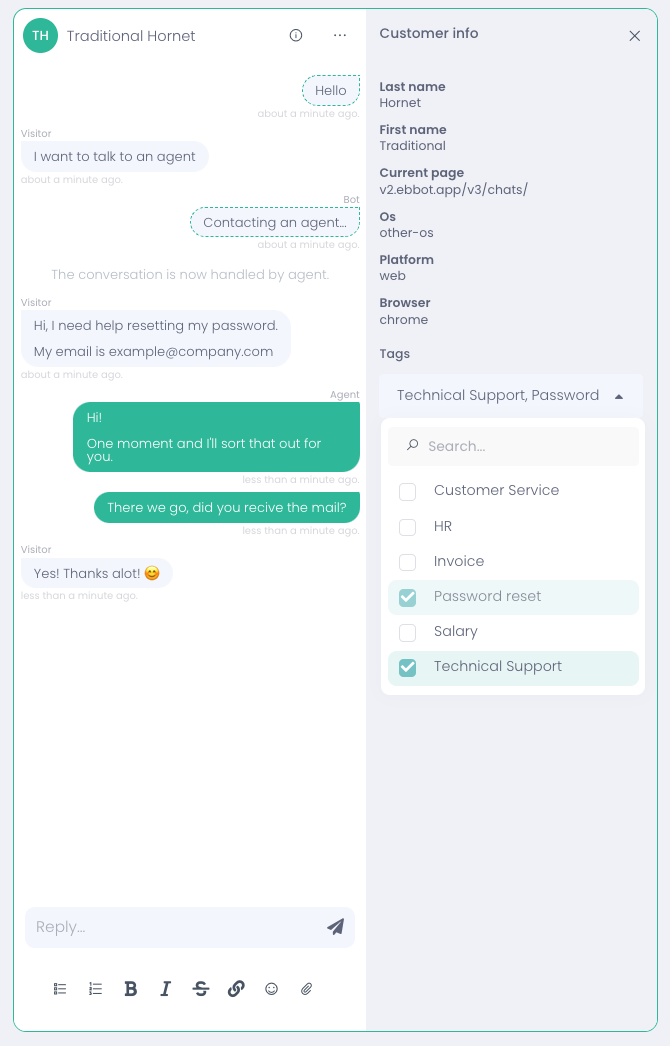
As an agent, you can apply tags to conversations using a dropdown menu in the customer info tab.
The tags are predefined, and you can quickly select the one that best describes the chat you’re working on.
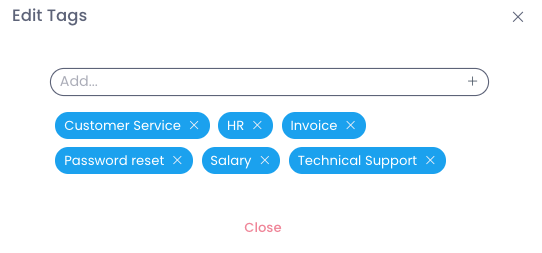
Owners and Admins can create and edit tags.
This is something you need to do manually.
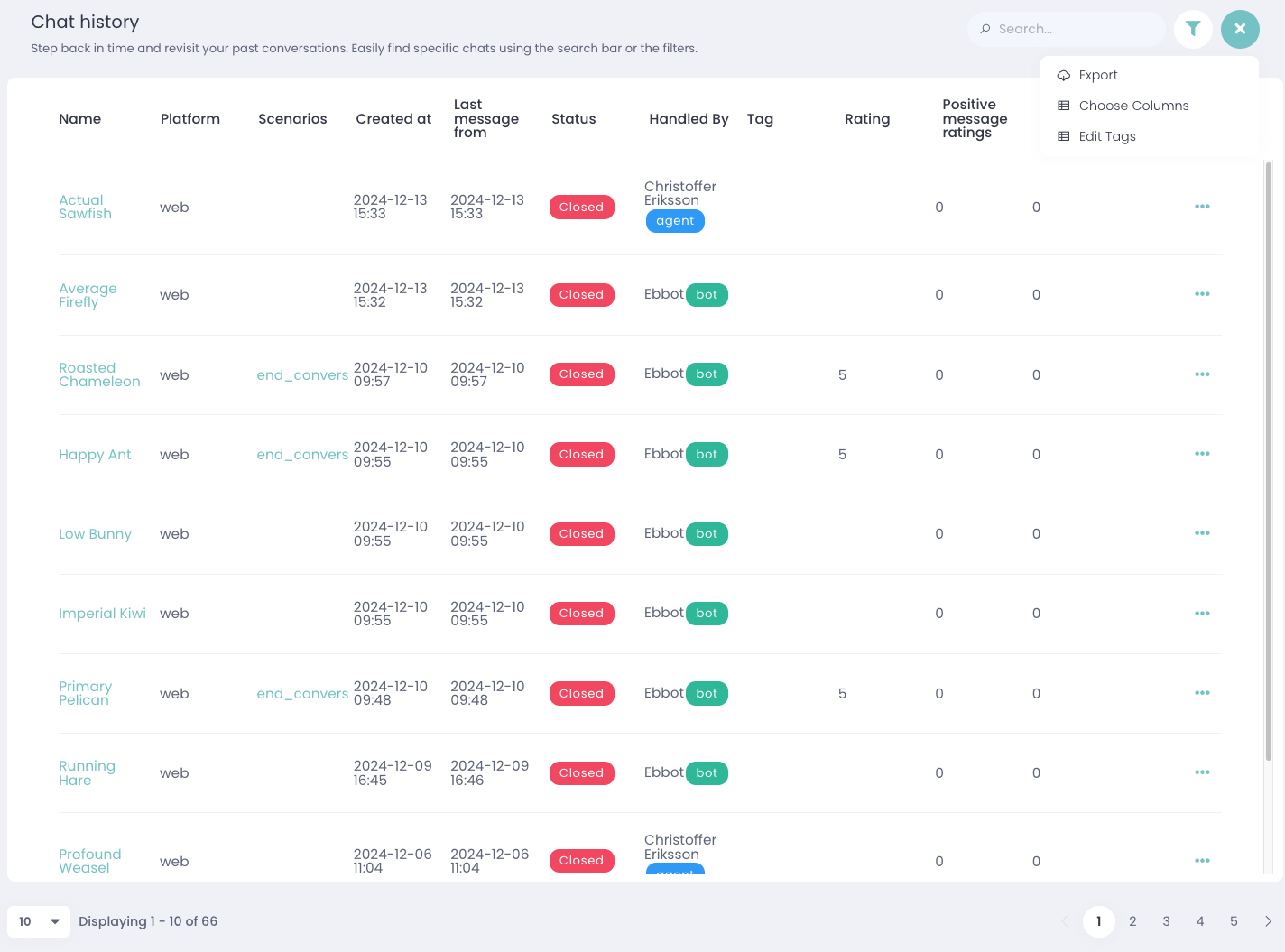
To manage tags, go to the Chat History section, click on the three dots at the top right of the side, and select Edit tags.
This functionality is exclusive to Owners and Admins.
For example, use the Technical Support tag for technical support queries. This helps categorize the chat as related to troubleshooting or technical assistance.
Can I use multiple tags for a single conversation?Yes! You can assign multiple tags to a single conversation if it covers multiple topics.
For example, if a chat involves both technical support and a password reset, you can apply both the Tech Support and Password Reset tags.
As an Owner or Admin, you can create and manage predefined tags. Agents can apply these tags in future conversations.
How can tags help me organize the chat history?Tags help you quickly categorize and filter past conversations by topics or status, such as whether a ticket has been created or a password reset request.
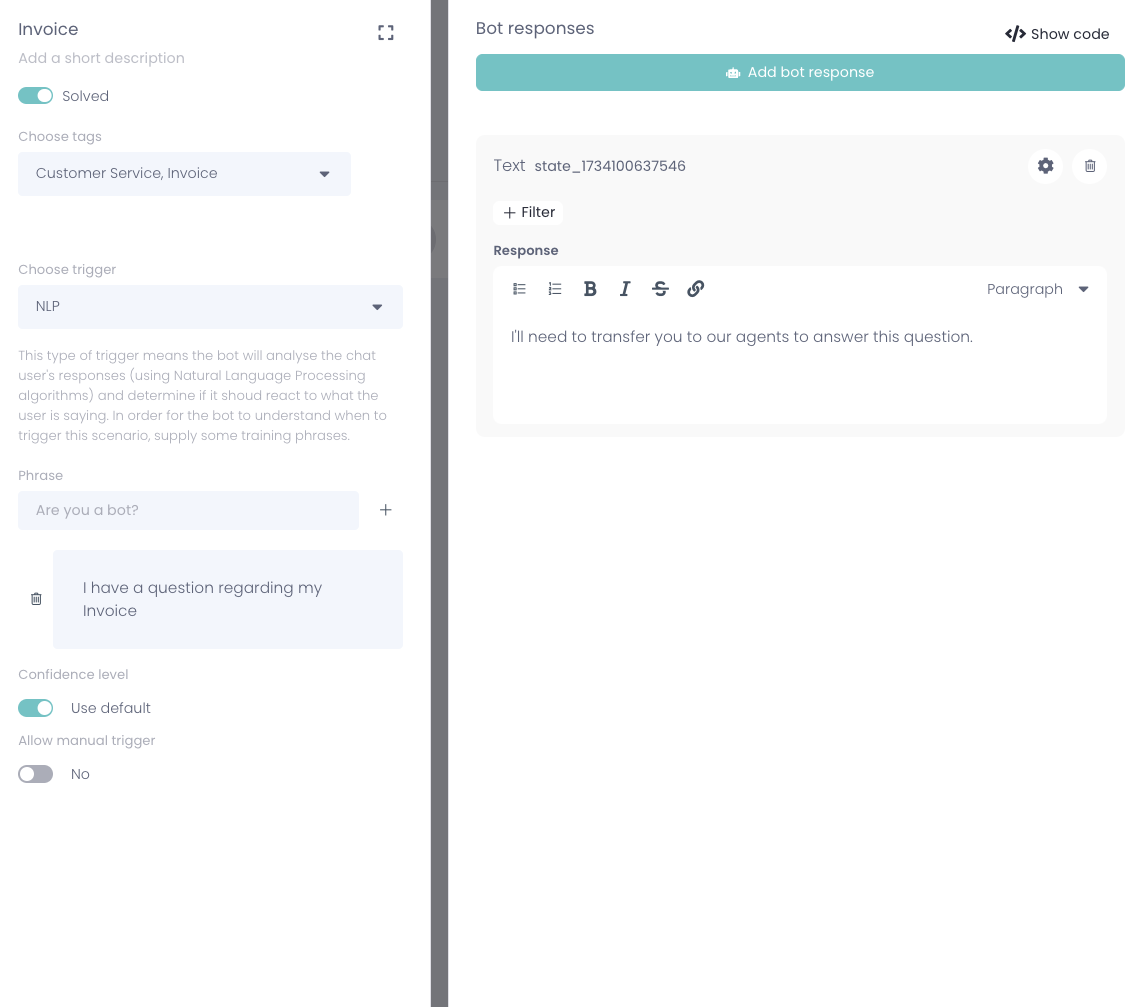
Can tags be automated?Yes, tags can be automated through Scenarios in the Bot Builder. This allows predefined tags to be automatically applied to conversations based on specific triggers, reducing manual tagging.