
To choose a language, start by clicking your profile image located in the upper right corner. A menu will appear displaying the language that is currently selected for your account. Once you click on this language, a new drop-down menu will appear showcasing all the language options available in the Ebbot app.
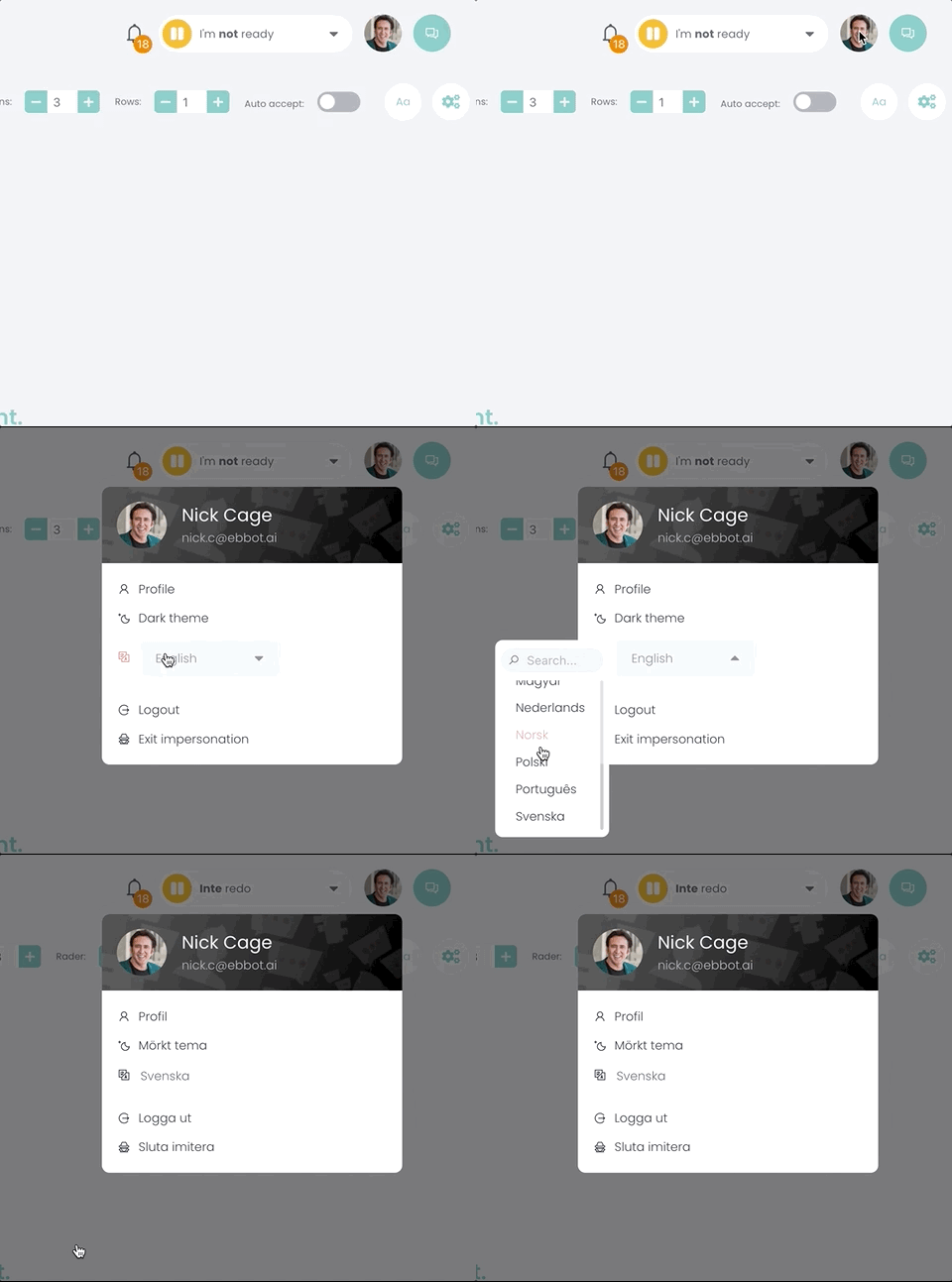
Pick your desired language and instantly, the user interface will be displayed in your chosen language.