
The scenario bot filter makes your life easier by creating pre-made filters that you can use in the bot builder later to get rid of unnecessary clicks and wasted time.
To create a new bot response filter, press the "create" button. Name your preset and choose a description
This is an example of a preset that only shows if agents are online: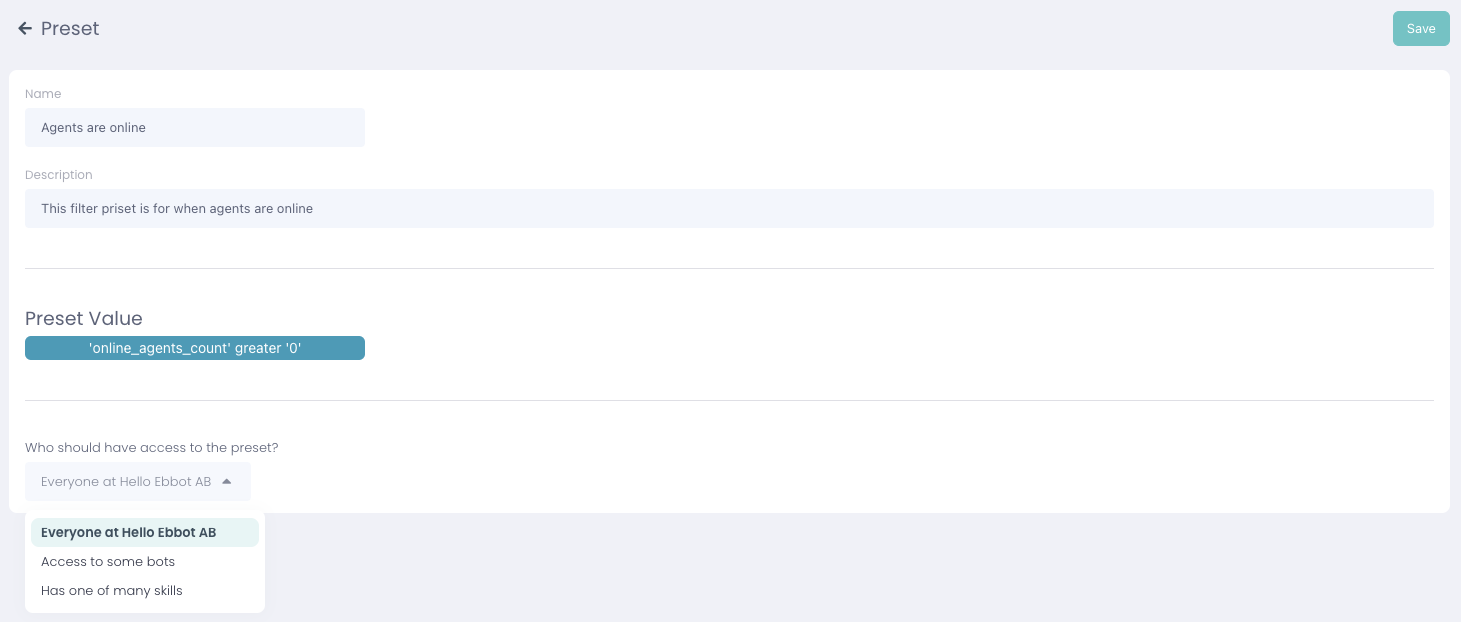
This is an example of a preset that only shows if no agents are online: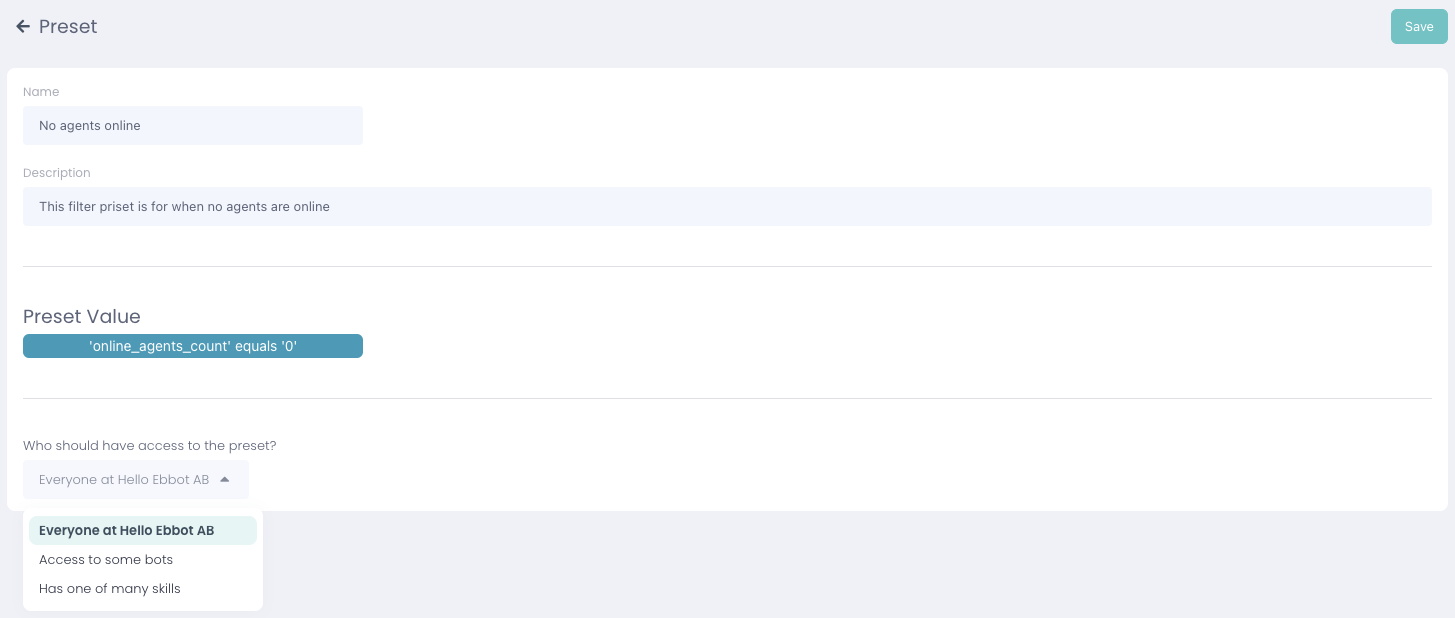
Notice that you can choose who should have access to the preset so you can really customize this after your needs! 👍
These filters are later used in the bot builder to filter answers depending on agent online status:
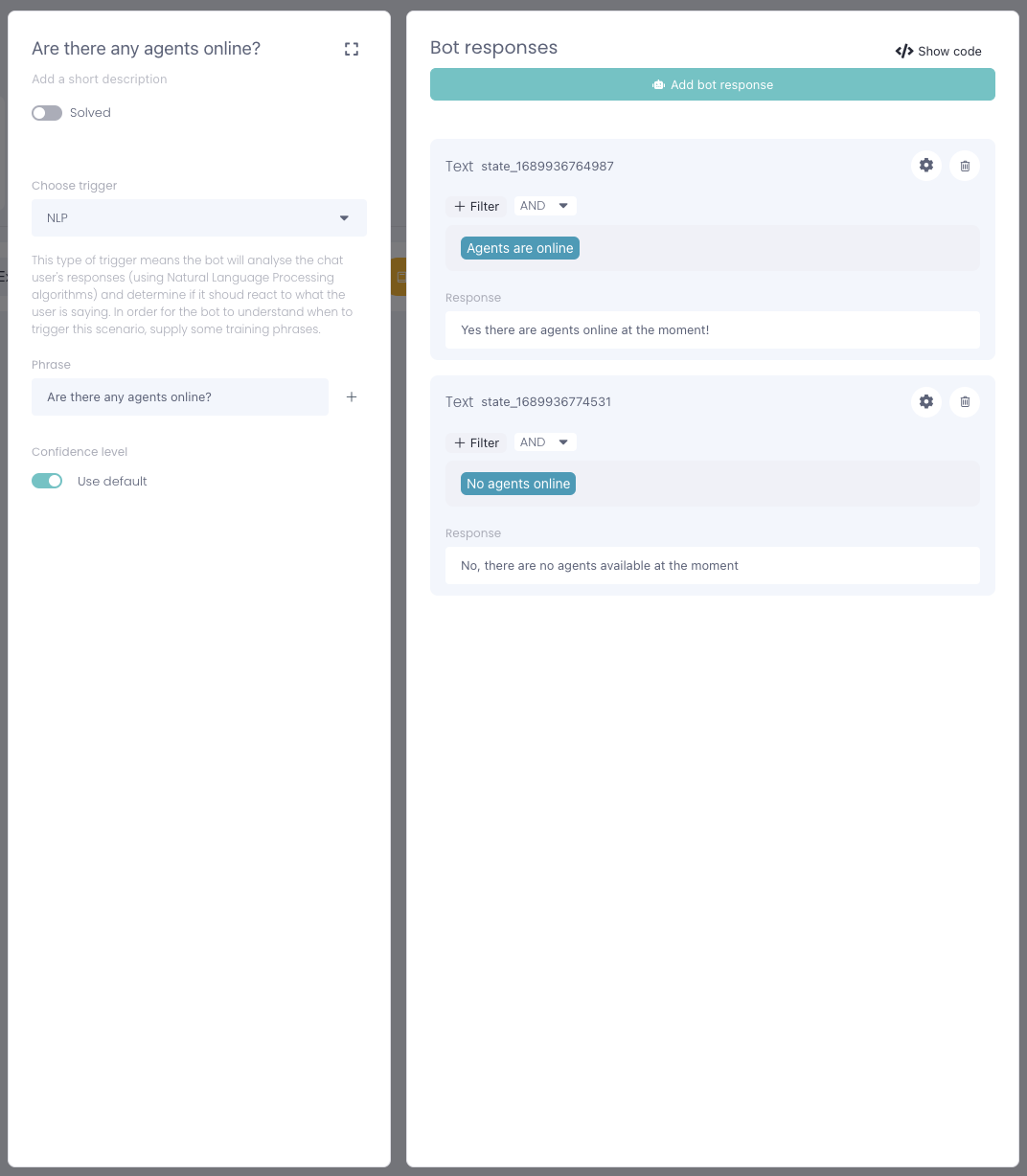
Just press +Filter and add your new preset to the scenario! Smooth as butter 😎