
How do I activate the live translation feature?
The live translation feature makes it easy for agents and customers to communicate in their preferred languages. Here’s how to set it up and how it works:
Enabling live translation for your agents
To enable live translation, Owners need to activate it in the bot settings:
- Go to the bot’s settings.
- Select one of the two available translation providers to activate the feature.
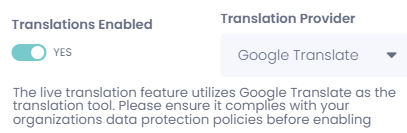
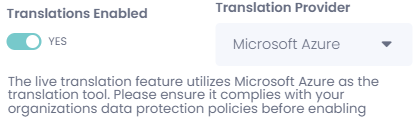
Once enabled, agents can configure their preferences individually:
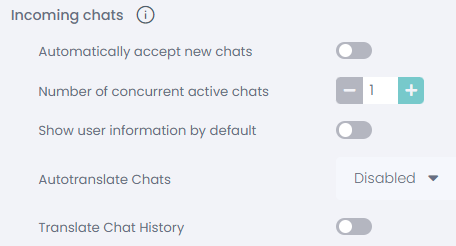
- In live chat settings → incoming chats, agents can:
- Choose their preferred translation language.
- Decide whether the translation should show up in the chat history.
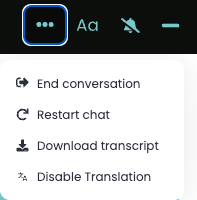
Agents can also decide on a conversation-by-conversation basis whether to enable or disable translation using the three-dot menu in the bottom-left corner of the chat window.
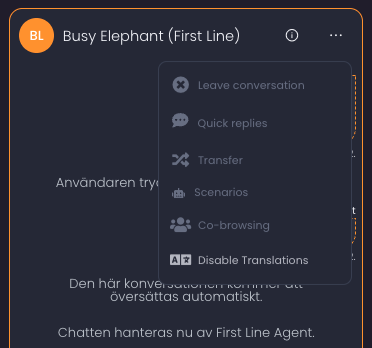
Customers can also toggle translation off from their side using the three-dot menu in the chat widget.
How the live translation feature works
When a conversation starts, and translation is active, the system automatically adjusts based on the customer’s browser language:
- If the customer’s browser language is the same as the agent’s (e.g., both use English), no translation happens.
- If the customer’s browser language is different (e.g., German for the customer and English for the agent), the messages will be translated in real-time:
- The customer’s messages are translated into English for the agent.
- The agent’s messages are translated into German for the customer.
At the start of the conversation, the customer will see a system message notifying them of the translation and specifying the language being used (e.g., “This conversation will be translated into German”). The agent will also see a system message, but it only indicates that the chat will be translated without mentioning the specific language.
This allows both parties to communicate naturally in their native languages while fully understanding each other.