
These settings are for advanced users. We recommend using the default settings first, as they're suitable for most chatbots.
Search definitions
Take control of your bot's sources! Use these settings to fine-tune what the data fed to the GPT model should be based on.
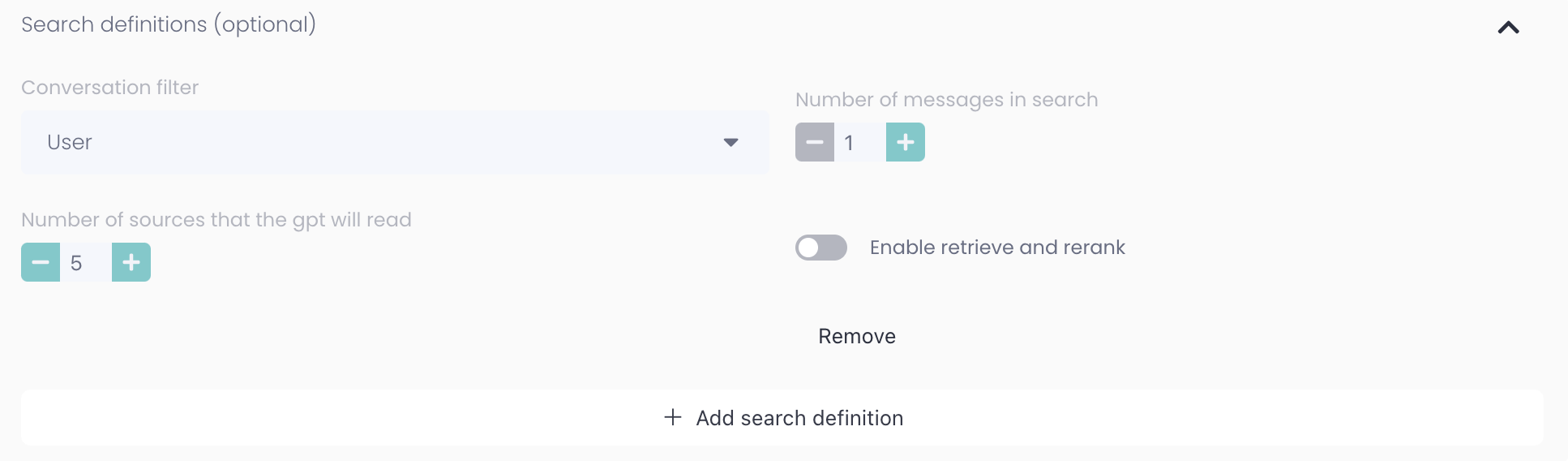
Conversation filter
User - person writing in chat
Assistant - bot and/or agent
Both - The user and assistant
Number of messages in search: Should sources be based on only the last message, or maybe based on the last three messages?
Number of sources that the gpt will read: How many chunks of information should be retrieved based on selected settings?
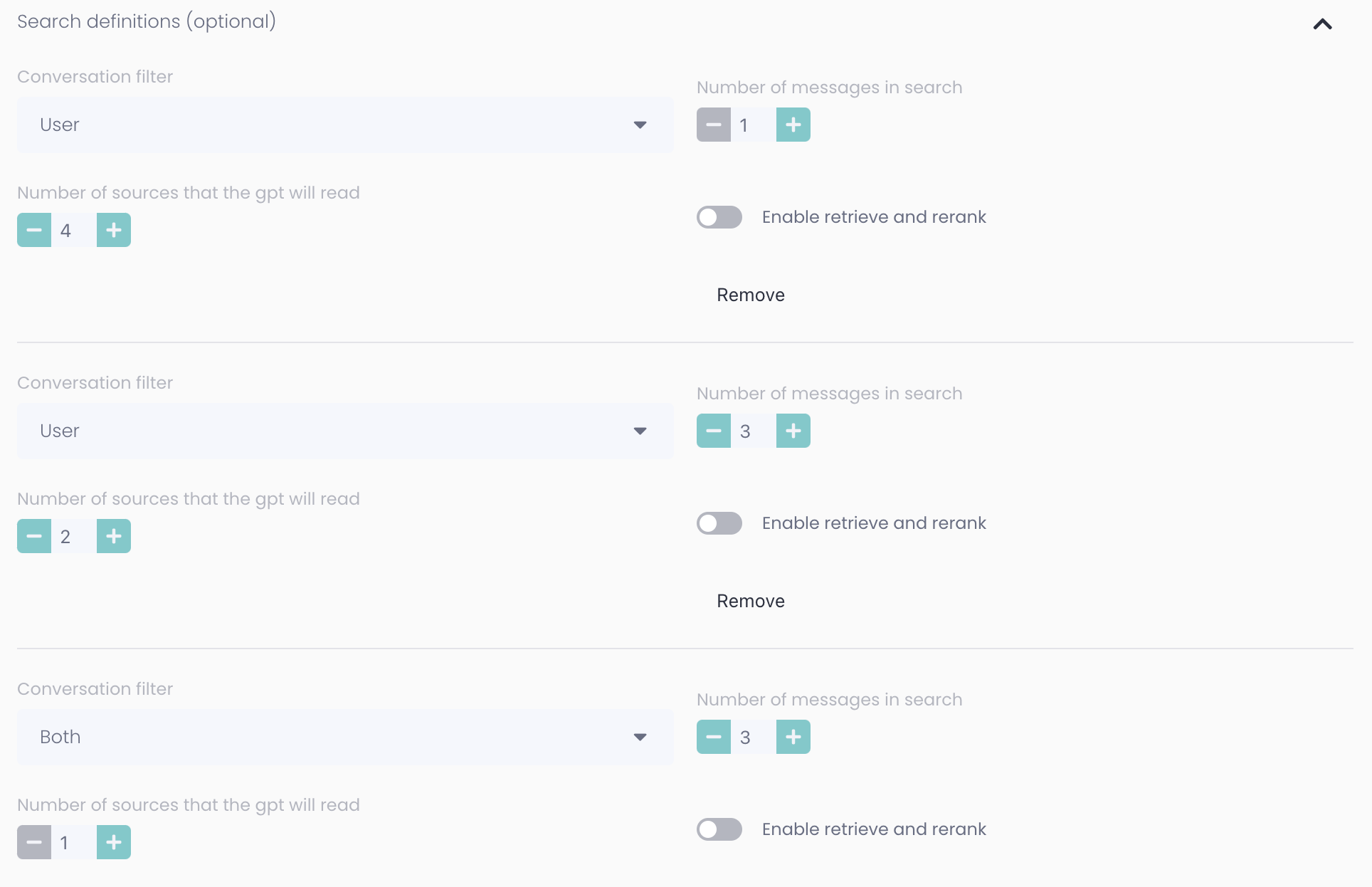
It's generally best to mix different search definitions to get the best combination of sources. The example below shows a setting that will focus on sources from the user's last message but some sources from previous messages from both the user and the assistant.
Advanced
Number of messages in GPT memory: How many previous messages from the current conversation should the GPT model have access to when writing its response. This allows the model to understand both the user's questions and its own previous answers, fostering a more coherent conversation.
Temperature: It controls the randomness and creativity of the model's output, with higher values producing more diverse responses and lower values generating more focused and deterministic responses.
Top P: It determines the cumulative probability above which the model considers the next word in the output, with a higher value allowing more words to be considered during generation.
Typ P: This is similar to Top P but specifically controls the diversity of the generated responses by filtering out low probability words.
Top K: It limits the number of top words from which the model considers the next word during generation, reducing the randomness and making the output more focused and controlled.
If you change this you can experience different behaviour with your GPT Model, we do not recommend you change these settings, they're optimised from the start ⚡