
What are Conversation Starters?
Conversation starters are proactive messages that allow your chat widget to "make the first move." Instead of waiting for a visitor to open the chat window manually, the bot can automatically reach out with a relevant message based on the visitor's behavior.
Think of it like a shop assistant walking up to a customer looking at a specific shelf and asking, "Do you have any questions about this model?" rather than waiting behind the counter.
What are they good for?
Conversation starters are powerful tools for increasing engagement and guiding website visitors. They are commonly used to:
-
Boost Engagement: A friendly nudge is often all it takes to encourage a quiet visitor to start chatting.
-
Provide Contextual Help: You can set up specific messages for specific pages. For example, if a user is on your "Pricing" page, the bot can pop up and ask, "Do you need help choosing the right subscription plan?"
-
Reduce Bounce Rates: capturing a visitor's attention just as they land on a page (or before they leave) can keep them on your site longer.
-
Automate Support: By proactively offering help on FAQ-heavy pages, you can resolve issues before the user even thinks to send an email.
|
Trigger
|
Description
|
|---|---|
|
User opens chat
|
If the chat widget is opened by the user.
|
|
User closes chat
|
If the chat widget is closed/minimized by the user.
|
|
User visits page
|
You get an additional option to add one or more URLs. If the user visits one of those URLs, that triggers the conversation starter.
|
|
User clicks on button
|
You get an additional option to add one or more button selectors. If the user clicks on one of the buttons, that triggers the conversation starter.
In order to find the button selector you need to inspect the web page and find the CSS element that should trigger the conversation starter.
|
|
User scrolls on page
|
Enables you to enter a percentage of how much the user needs to scroll on the web site in order to trigger the conversation starter.
|
|
User is inactive
|
Enables you to enter how many minutes the user needs to be inactive on a page for the conversation starter to trigger.
|
|
User leaves a form
|
You get an additional option to add one or more form selectors. If the user submits that form, this triggers the conversation starter.
In order to find the form selector you need to inspect the web page and find the CSS element that should trigger the conversation starter.
You are also able to set an inactivity timer (in minutes), e.g. how long after the form submission the conversation starter should trigger.
|
| Agent is available | Enables you to show the conversation starter if agents are available to chat, for example if you want to transfer them through for a live chat. |
| Agent is unavailable | Enables you to show a conversation starter when there are no agents available, for example if you want to transfer them further to a certain scenario instead to get help. |
|
Do nothing
|
This probably does something, contrary to the name.
|
|
Open
|
The chat widget pops out.
|
|
Show attention seeker with message
|
A message pops up next to the Chat Widget with a custom message.
|
|
Show attention seeker with question
|
A message pops up next to the Chat Widget with a custom message, and a custom “Confirm text” and “Ignore text”. Similar to a button card, but “outside” the chat widget. Confirm text: If you click on it the chat widget opens up and triggers a scenario (which you get to choose in the next section). Ignore text: Removes the message from the users screen.
|
|
Show attention seeker with quick replies
|
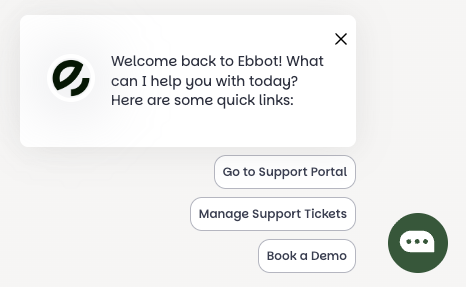
A message pops up next to the Chat Widget with a custom message and custom buttons. The buttons can have a custom text. When the user clicks the button you can choose which scenario (and state) should be played in the chat widget, that on the button click pops up.
|
-
Once every page load - Every time the user reloads or visits another page.
-
Once per session - Only once per chat session/chat ID. E.g. if the user restarts the chat (via the “hamburger menu” in the chat widget).
-
Disable all other triggers after this trigger - This means that if this conversation starter is triggered, no other conversation starters can be triggered in the same session.
-
Publish trigger - If the trigger should be active or not.
Do not forget to save your conversation starter using the Save button in the bottom right corner!