
You can pass data from your scenario to a custom component, where it can be processed and then returned to the scenario, or if you want, trigger another scenario or state. Components can, for example, be used to call an external API, perform calculations or send data to your own systems.
All objects in a conversation are available for components to use in the "data object". For example, if we built a scenario where we ask the customer for name and save this as "name", then it is saved in the 'db' part of the data object - that is, in data['db']['name']. When the customer then triggers this scenario, the customer's input is saved in 'name'.
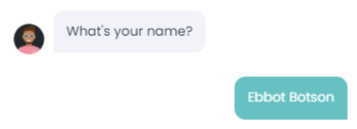
'name' now contains 'Ebbot Botson'
We can then use this to perform various actions. In the code example below, we check if the customer's name contains "Ebbot" and respond differently to the def main(data):
def main(data):
   name = data['db']['name']
if "Ebbot" in name:
 text_response = "What a coincidence, my name is also Ebbot!!!"
else:
   text_response = f"{name} is a nice name!"

return {
      "component": "ebbot_text",
      "properties": {
          "text": text_response
      }
   }
This was a short introduction to components.
For more detailed info and documentation, have a look here