
Welcome message is not to be confused with the starting page of your bot. To change these settings please look at the guide called "Set your design".
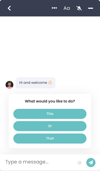
In this chapter we will mainly focus on the message that displays after you press "Start conversation".
Only an admin user can access these settings.
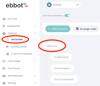
Go to Chat bot > Bot builder and then press Welcome.
Here you will be able to change text, add text, add or change cards.
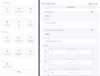
When you are done just press "Save scenario" and that's it!