
Do you want your colleague to experience the amazing Ebbot.app platform?
This is how you do to add a new user.
Keep in mind that you can only add users if you have an admin account.
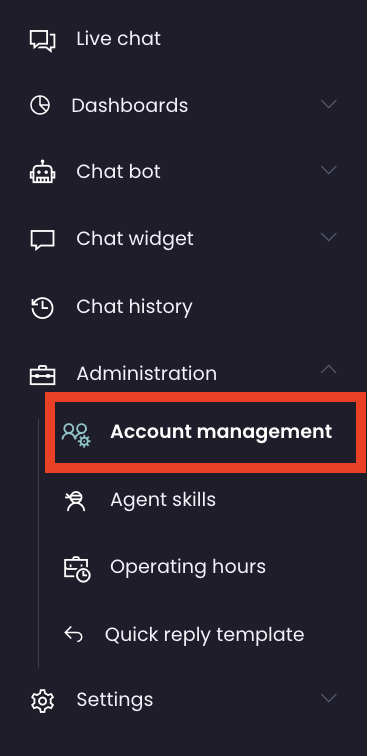
Go to Administration > Account management
Here you will find a list of existing users.
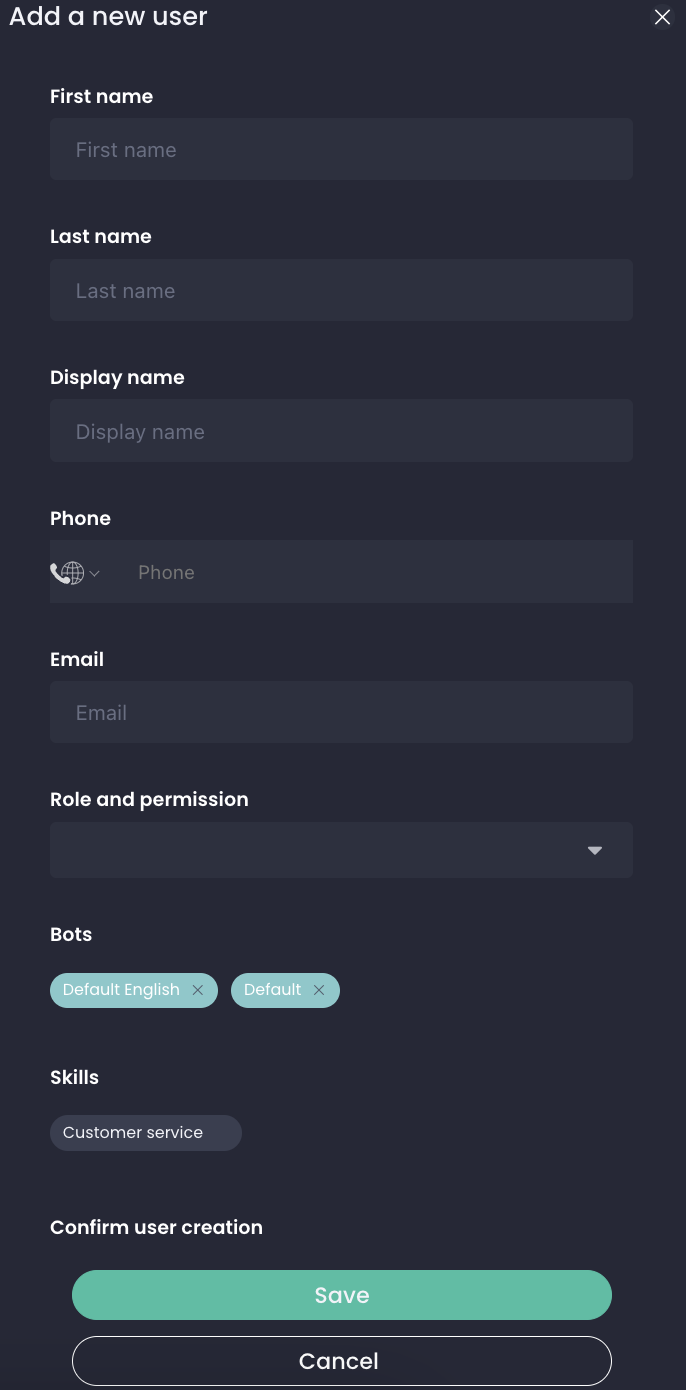
To add a new user press "New" in the top right corner.
This will appear:
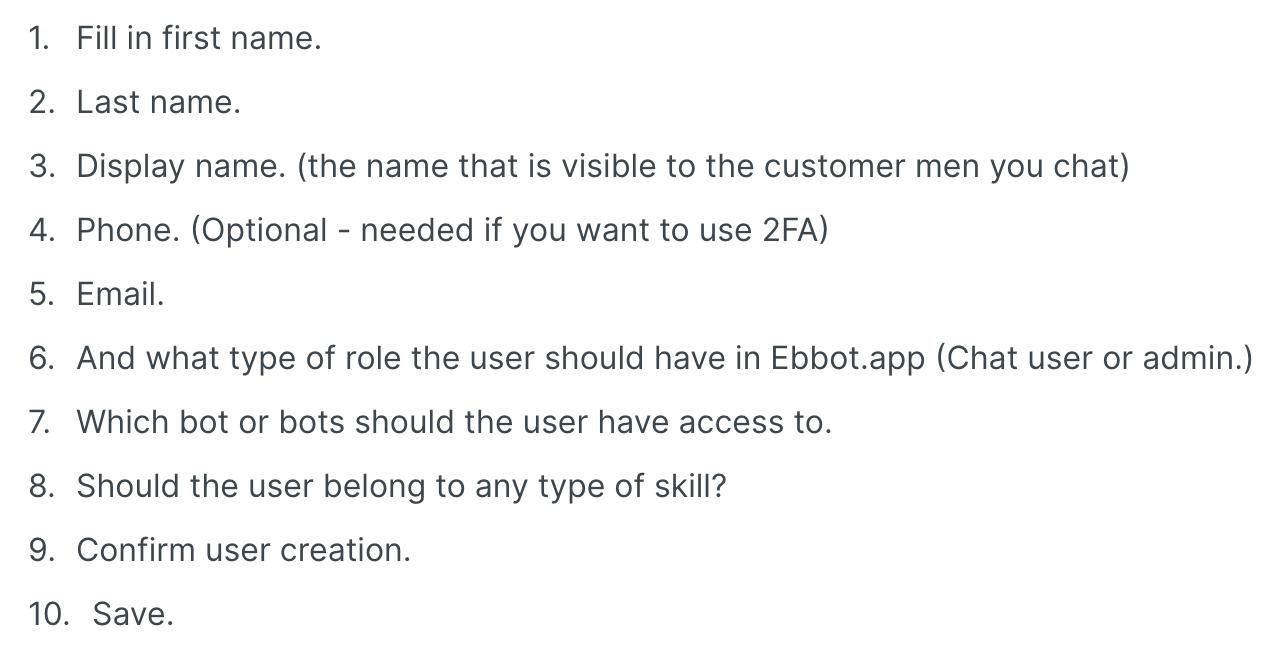
You have now added a new user to Ebbot.app!